

With the increasing importance of online presence, it’s crucial to make sure your Apple Business profile is optimized to its fullest potential.
Ready to grow your local business in 2026? Let’s dig in and I’ll show you the basics of Apple Business, with a few pro tips mixed in.
What is Apple Business?
This is how your local biz gets found on Apple Maps.
The only requirement is that you need to have an address where customers or clients can visit you. It’s completely free and can be completed in less than 30 minutes.
If your prospective customers are iPhone users, then keep reading.
Apple’s iPhone claims a 23.4% global share of the smartphone market, more than any other handset manufacturer.
According to Statista, at least 206 million iPhones were shipped in 2020 alone (not to mention iPads and Macbooks). Each one of them comes ready to roll with Apple Maps already downloaded. Your Google Business Profile is definitely a vital part of your local rankings, but it’s no longer the only player in town.
Apple Business makes it easy for customers to find your business using Apple Maps. Take control of how your business is seen. Create a place card that is accessible to everyone around the world who uses Apple devices and built-in apps, with directions, contact information, and actions built right in.
Apple
Here Are the Benefits of Apple Business (According to Apple):
- Control how people see your business.
- Share limited-time offers and announcements.
- Meet customer needs with actions.
A Client Case Study
Earlier this year, I helped a financial consultant with their Google Business profile and kept hitting a wall.
We couldn’t access the business profile and were stuck with an old New Jersey address. They moved to South Carolina over 12 months ago! I hounded the Google My Business support team for over 4 months, to no avail. We tried using other email accounts. We tried creating profiles with a different name. Nothing broke through their incorrect security wall.
Eventually, we fixed the issue, but I found out Apple had recently upgraded their old Apple Maps platform, to something much more helpful for local business owners.
Apple Business’s dashboard is simple and easy to use (in true Apple fashion). They approved the location for Global Post Auditing Solutions in less than 24 hours!
How To Optimize Your Apple Business Profile
Optimizing your Apple Business profile can significantly improve your chances of getting noticed by potential customers and increase your online visibility. By following a few key strategies and best practices, you can ensure your profile stands out from the crowd and drives more traffic. In this article, we will explore the steps you can take to optimize your Apple Business profile and maximize its potential.
1. Claim Your Business
The first step to optimizing your business profile is to make sure you claim your location place card.
To do this, you must be the owner of the business or an authorized representative. Then, you will gain access to its Place Card and will be able to add content, such as photos and videos, and edit information about the business.
Click here to open Apple Business
Ok, now that you’re logged in to your Apple account,
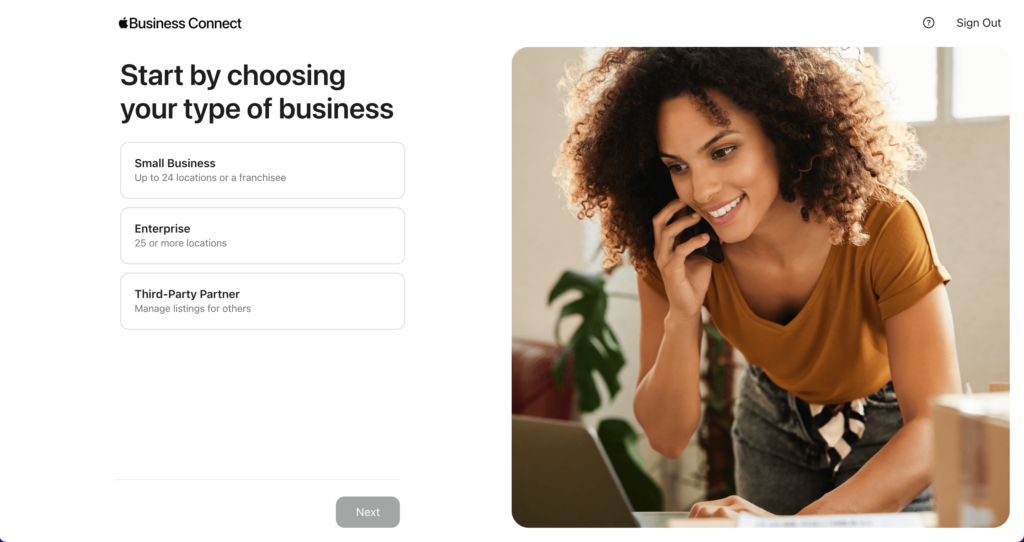
Before adding your business, go ahead and run a quick search of your business name. If it’s already in the Apple Business or Apple Maps archives, then you can choose it right away. Here’s what that looks like:
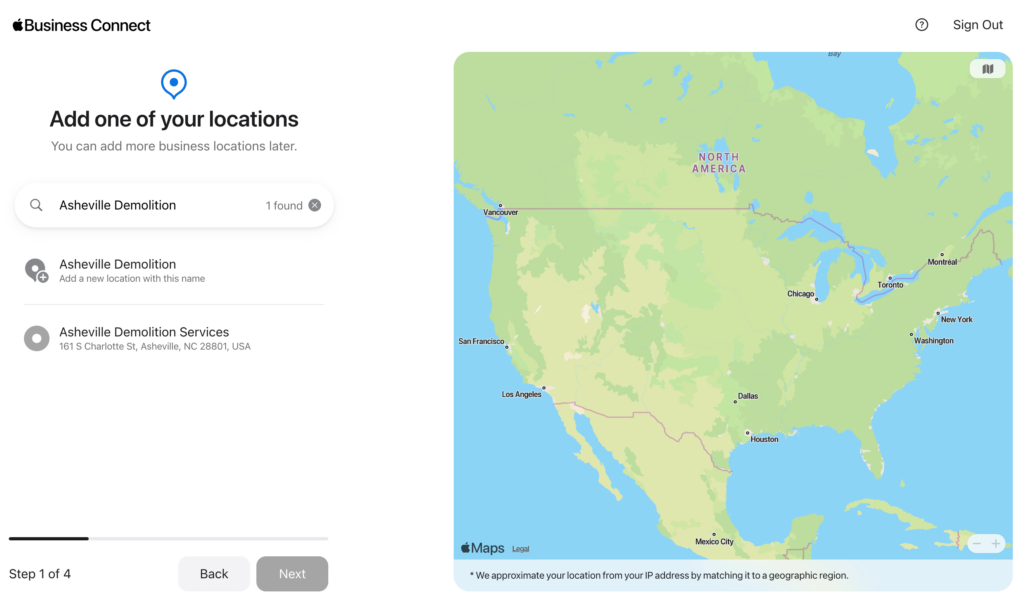
Get Verified by Apple
Thankfully, the verification process is much more simple than with Google Maps. This might be because it’s new and there is less data inside of Apple Maps. Look for Apple to contact you with a confirmation request within 24-36 hours, but this could take as long as 5 days.
You’ll need to include some specific (identifiable) details like your utility bill, business registration, DUNS number, or business license.
2. Complete Your Profile & Add Logo
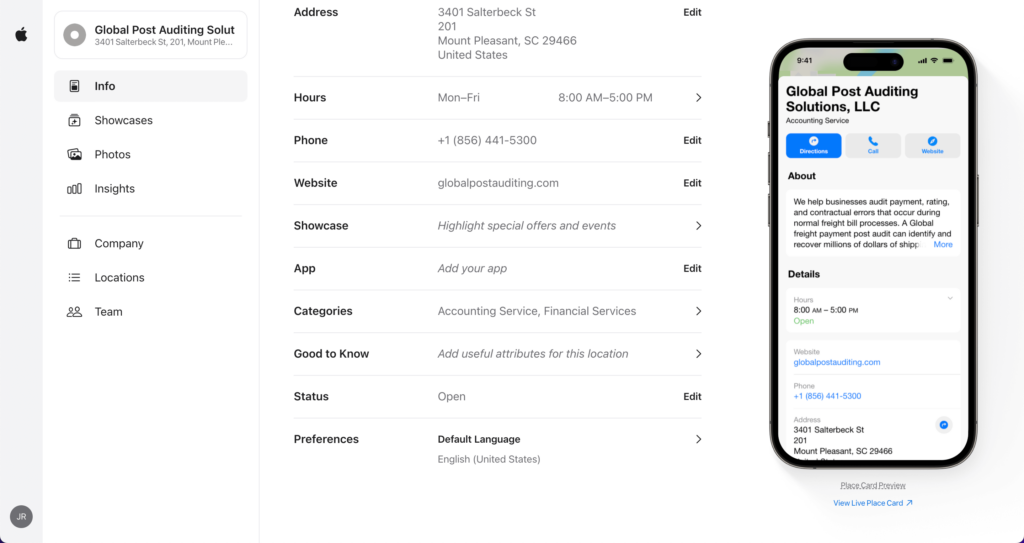
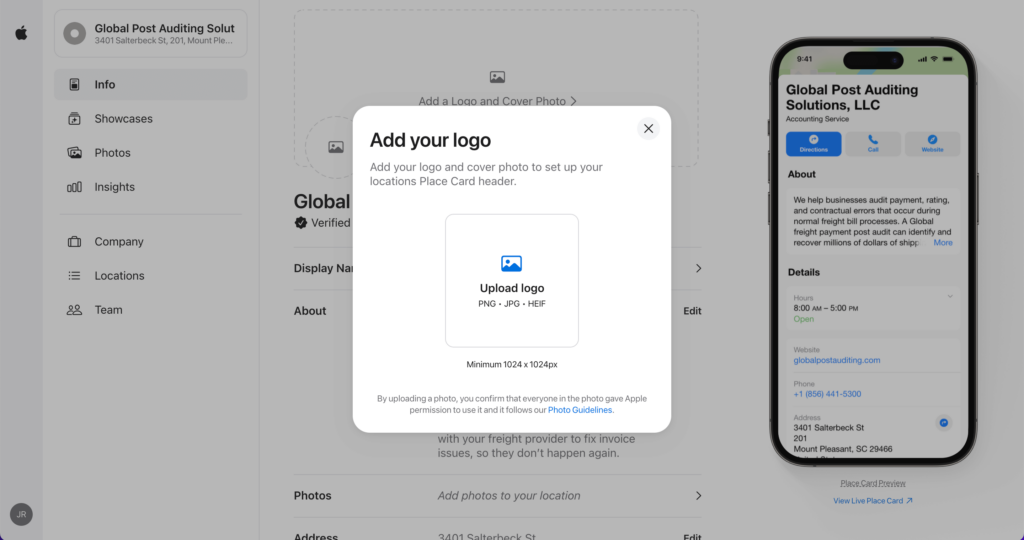
Once your location has been claimed, you’ll be able to access its Place Card and start editing the information. Start by updating your business listing and logo according to the latest branding guidelines. This will make sure that your profile looks professional and up-to-date, so potential customers are more likely to take notice of it.
Always keep your business information consistent across all of your business profiles, across the internet. This means Google, Apple, Yelp, Houzz, your local chamber of commerce, or any other place that includes your contact info. Maintaining a consistent business name, address, and phone (NAP) is crucial for your business discovery goals.
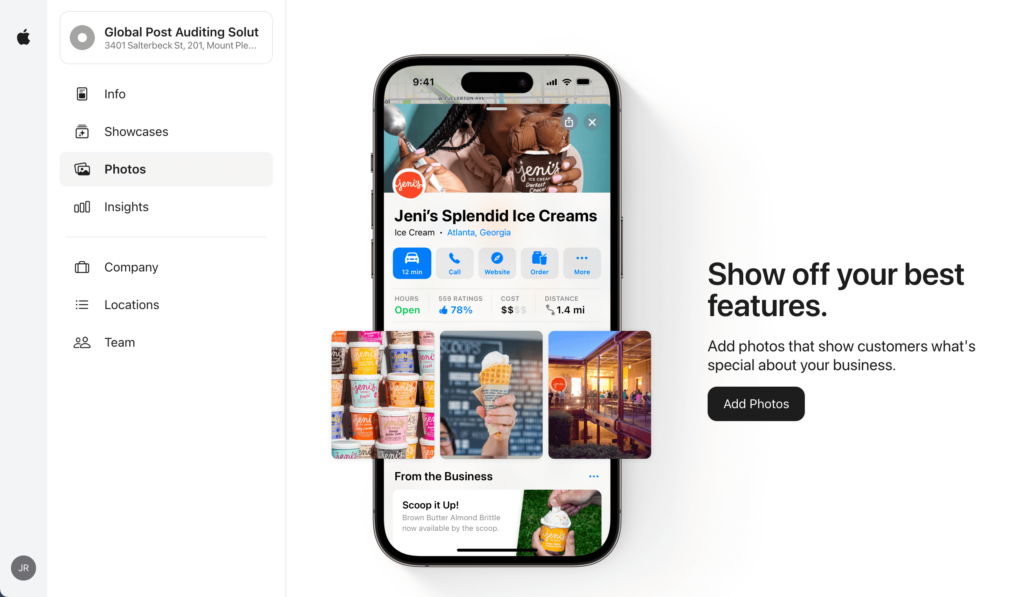
3. Add Photos
Everyone loves photos, and that includes your target audience. They serve to build trusty and show the results of your product/service in a non-advertising way.
Find a way to get as many professional-level photos up as possible, but don’t let yourself wait too long. Something is better than nothing. If you can’t possibly think of a way to find good photos of your business in motion, reach out to some of your best customers.
Someone will gladly share some images better than you could have achieved anyway. Start with 10 or so photos and start adding new ones monthly.
4. Add Showcases
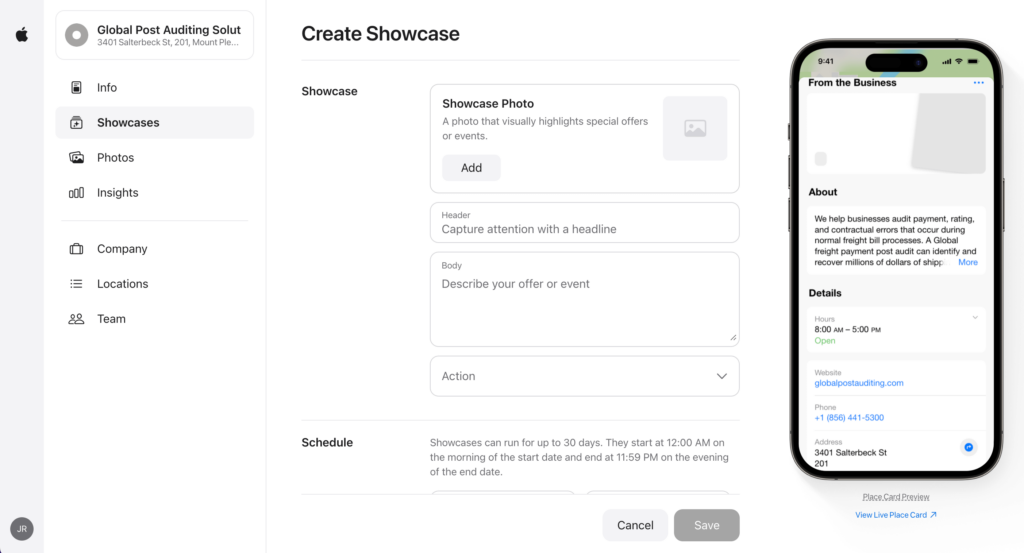
Showcases are a great way to announce new products and services.
Apple will run your Showcase for up to 30 days. They start at the beginning of the start date and end at 11:59pm on the evening of the end date.
5. Update Regularly
To make sure your profile stays fresh and relevant, it’s important to update your business listing on a regular basis. This can include adding new photos, updating contact details, and adding Showcases with limited-time promotions or announcements. Doing this will help keep your profile up-to-date and attract more prospective customers.
Also, don’t forget to check in on your Apple Business Insights to see how your progress is going.
Your Apple Business Checklist
- Claim your business location.
- Confirm you’re a legitimate business via the Apple verification code.
- Add a logo and cover photo (minimum 1024 x 1024px).
- Include your accurate, registered display name (add business name in other languages as needed).
- Add a business description (max 500 characters).
- Upload additional photos. These can be PNG, JPG, or HEIF files (minimum 720 x 960px).
- Include address details, make sure the GPS pin is correct.
- Add your business hours.
- Add your business phone.
- Add your website.
- Choose your primary business category (make sure this is accurate).
- Include any additional categories (these can be changed for multi-location businesses).
- Add your Apple App url from the App Store (if available).
- Add some “Good to Know” attributes (business details) to help customers know what to expect (accepted payment methods, parking, bathrooms, best types of customer fit, etc.)
- Set your business status as “Open”. I know, obvious, but not something you want to gloss over!
*Don’t forget to invite a team member to your Apple Business profile. You’ll want a partner to help knock out this checklist, and it always helps to have a backup admin for that lost-password emergency!
Final Pro Tips
Make sure you remember to post any special offers (or special hours) to your Apple Business Card as part of your digital marketing system. Don’t sleep on the Showcase feature that allows you to post free highlights!
Start asking for reviews from previous customers as soon as possible. The more positive reviews you have, the quicker potential customers will trust you. That social proof is an investment and will pay dividends right away (and years down the road). Do everything you can (ethically) to get more 5-star reviews than your local competitors.
Conclusion
Optimizing your Apple Business profile is a great way to increase visibility and attract more customers. By taking the time to create your profile, optimize your profile and logo, add photos, showcases, and regularly update your profile, you can make sure potential customers know about you and want to visit your business.
By following these steps above, you’ll be able to set up and optimize your Apple Business account, to grow your leads and sales.
Want to keep learning more? I share tips to get found every Friday in The Momentum Brief, our free weekly newsletter for home service contractors.