

OpenAI now lets businesses claim a free profile inside ChatGPT, the same way you claimed your Google Business Profile years ago. If you run a home service company, you should claim yours this month. It takes about 30 minutes of hands-on work spread across a day or two, and when it's done, your business name, phone, address, website and email are locked in by you instead of pieced together by ChatGPT from whatever it found online.
I've now set this up for Gridwork and for several of my contractor clients. Below is exactly what I clicked, with screenshots from those real setups, so you can follow along screen by screen. It's written for owners of plumbing, HVAC, roofing, remodeling and other trade businesses who handle their own marketing, or who want to know what their marketing person should be doing this week.
Why a ChatGPT business profile matters for contractors
Homeowners don't only Google "plumber near me" anymore. More of them open ChatGPT and describe the problem: "My water heater is leaking from the bottom and I'm in Weaverville, who should I call?" ChatGPT answers with names. When it names you, it has to pull your phone number, address, hours and website from somewhere.
Until now, that somewhere was secondhand. ChatGPT read your website, your Google listing, Yelp, old directory listings and whatever else it could find, and stitched together an answer. If an old directory still had your previous phone number, that number could end up in the answer. (I wrote more about how AI search for contractors works and which of those sources it trusts.)
A claimed profile is the one source where ChatGPT hears it from you. Every other place it reads about your business is someone else's copy of your information. This is the original.
Here's what claiming gets you:
- Control of your core details. Business name, phone, address, website, email, hours, category and photos, edited by you.
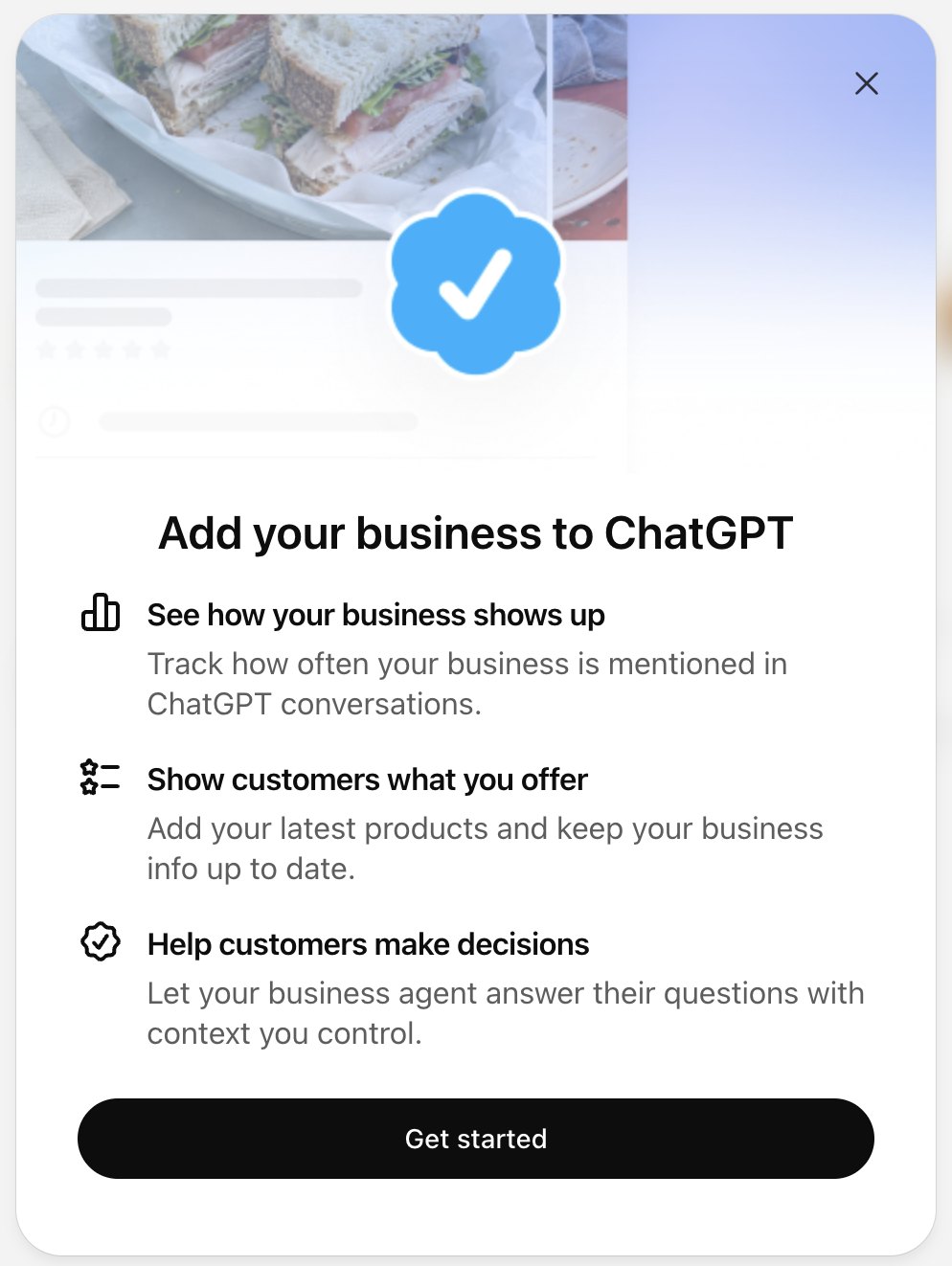
- A verified badge on your business card inside ChatGPT.
- Insights. The dashboard tracks how often ChatGPT mentions your business, profile views and website clicks, by 7 or 28 days.
- A business agent (optional) that can answer customer questions in ChatGPT using information you control.
Will a verified profile get recommended more often than an unclaimed one? OpenAI hasn't said that, and I won't promise it. But every platform I've worked with, from Google to Apple to Bing, has favored listings where a real, verified owner stands behind the information. I'd expect ChatGPT to treat verified businesses the same way over time, and getting in early costs you nothing. The profile is free.
What you need before you start
The setup stalls if you don't have these ready. Gather them first, and the whole thing goes smoothly.
- A ChatGPT account. A free account works fine. Anyone you invite to help manage the listing later (an office manager, your marketing person) also needs their own ChatGPT account. It's free and quick to set up, but it's a hard requirement.
- A way to prove the business is yours. Either access to the business phone number on your listing, or access to your website's DNS settings (wherever your domain is registered or managed, such as GoDaddy, Cloudflare or Namecheap). If your nephew built your website and you've never logged in to the domain account, sort that out first.
- A government-issued ID. A driver's license works. You'll also do a quick face scan with your webcam or phone camera.
- Your EIN or tax ID. The business's Employer Identification Number. If you can't find yours, the IRS explains where to look on its EIN page. It's usually on your old tax returns or the confirmation letter from when you formed the business.
- Your legal business name and official address. The name registered with your state (your LLC or corporation name) and the physical address of the business. No PO boxes. If you operate under a different name than your legal one, have that "doing business as" name too.
Set aside about 30 minutes for your part. The waiting happens on OpenAI's end.
Step 1: Find your business in ChatGPT
Go to OpenAI's businesses page and start the claim. You'll land on a search screen that says "Reach new customers and grow your business with ChatGPT."
Type in your business name. ChatGPT shows existing businesses it already knows about, with their addresses. If yours is in the list, pick it. If not, choose the Create option at the top to add it as a new business.
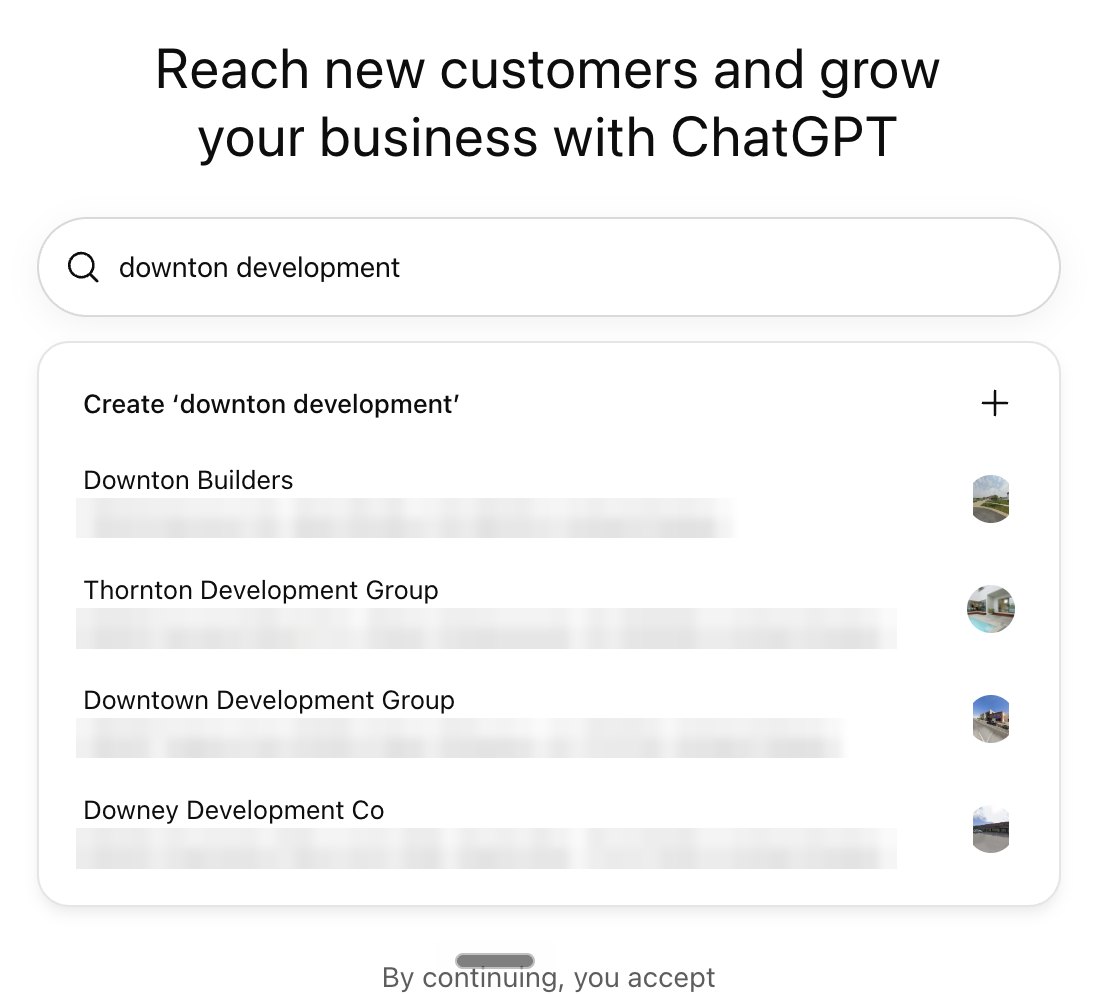
Read the matches carefully. When I searched for my client Downton Development, ChatGPT offered four look-alike companies in other states and no exact match, so I chose Create. Make sure the address matches yours before you pick an existing listing.
Next you'll see the "Add your business to ChatGPT" screen covering what you get. Click Get started.
Step 2: Tell ChatGPT how customers reach you
ChatGPT asks how customers usually interact with your business:
- At a physical location: customers visit a store, restaurant, office or other location.
- Through a website: customers buy from your website or marketplace.
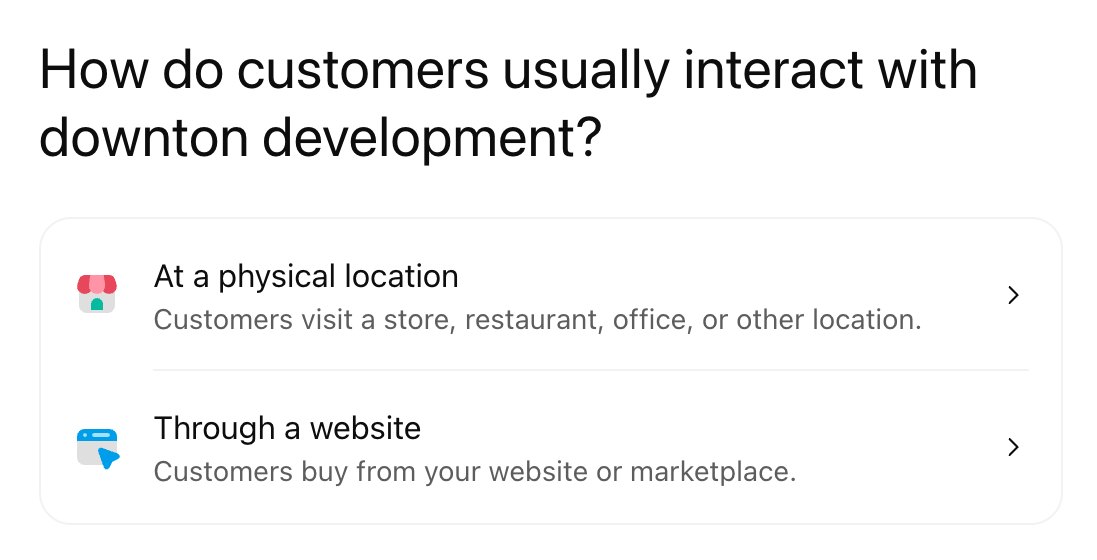
Most home service companies should pick Through a website. If you're a builder, plumber, roofer or any contractor who goes to the customer and doesn't have a public address, your website is where customers find and contact you. That's what I chose for Gridwork, and it's what most of my clients chose too.
Pick At a physical location only if customers actually come to you. CDI Cabinets, one of my clients, has showrooms where homeowners walk in to see door styles and finishes, so that's the option CDI chose.
Step 3: Verify the business with your phone or your website
This step proves you control the business. You'll verify with the phone number on the listing or through your website's domain. For the domain route, ChatGPT gives you a TXT record to add to your DNS settings.
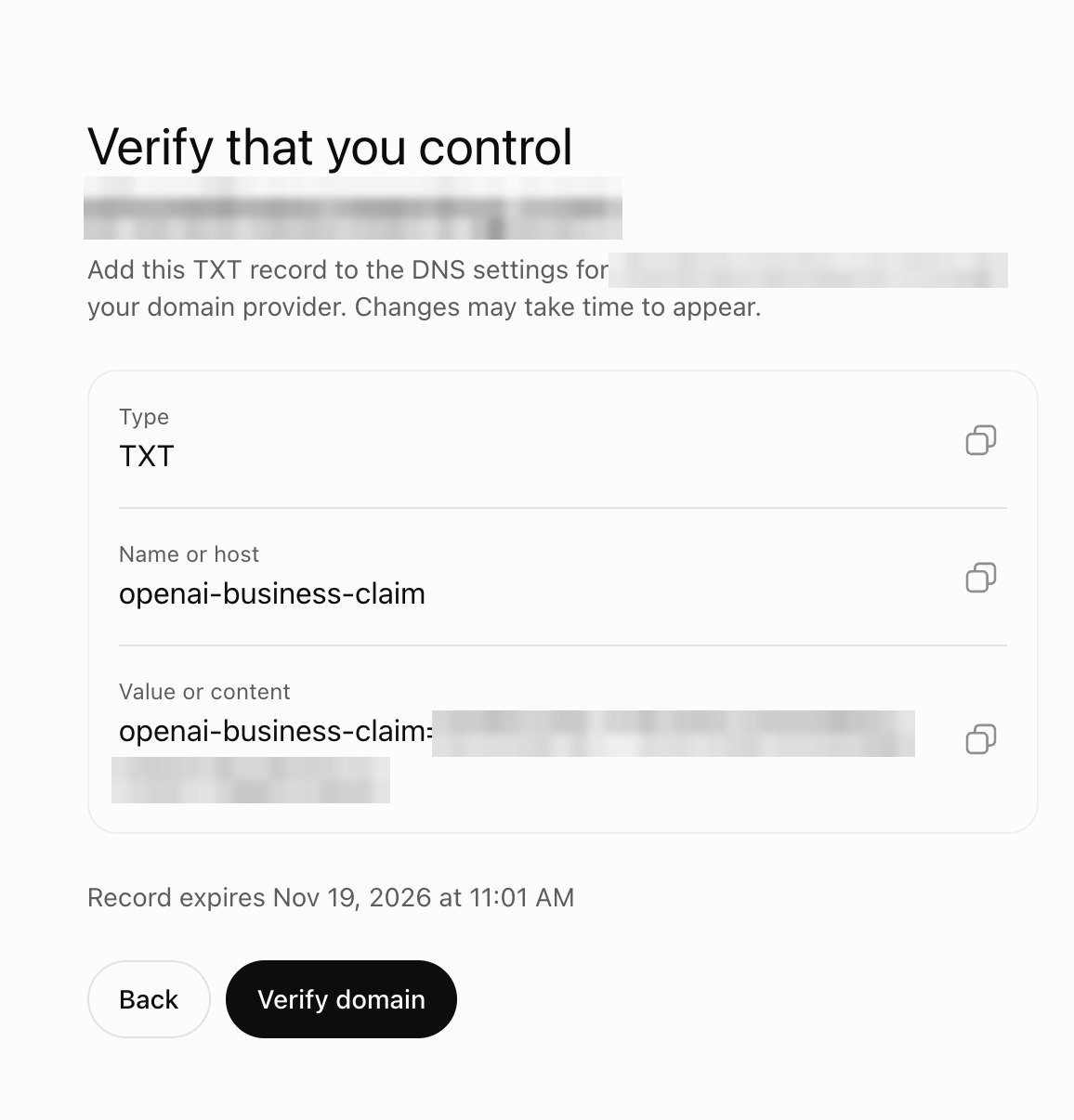
If you go the DNS route:
- Log in to wherever your domain's DNS is managed.
- Add a new record. Set the Type to TXT and the Name or host to
openai-business-claim. - Paste the full Value exactly as ChatGPT shows it. Use the copy buttons on the right so you don't mistype it.
- Save, go back to ChatGPT and click Verify domain.
Two things to know. First, the record expires about 24 hours after it's created, so do this in one sitting. If it expires, you'll need a fresh record. Second, DNS changes can take a few minutes to show up. If verification fails right away, wait 10 or 15 minutes and click verify again before you assume something's wrong.
If you don't have DNS access and can't get it quickly, the phone option is simpler. Make sure you can answer the number listed on the business.
Step 4: Verify your identity with a government ID
Once the business is claimed, you'll land on your Business dashboard. A banner across the top says you need to verify your identity with a government-issued ID before you can edit business info or publish a business agent. When you click into editing, ChatGPT stops you with a "Verify your business" box.
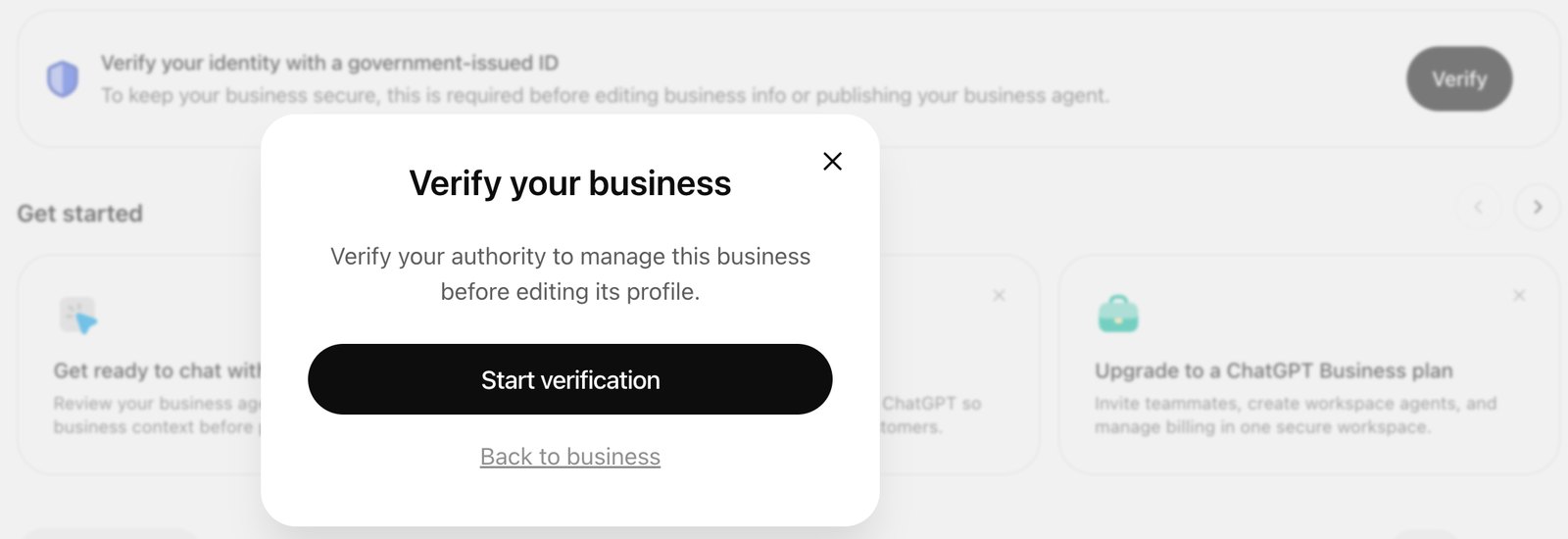
Click Start verification. You'll choose your ID type, take photos of your ID, then do a short face scan. The camera asks you to turn your head slightly left and right while it takes photos automatically.
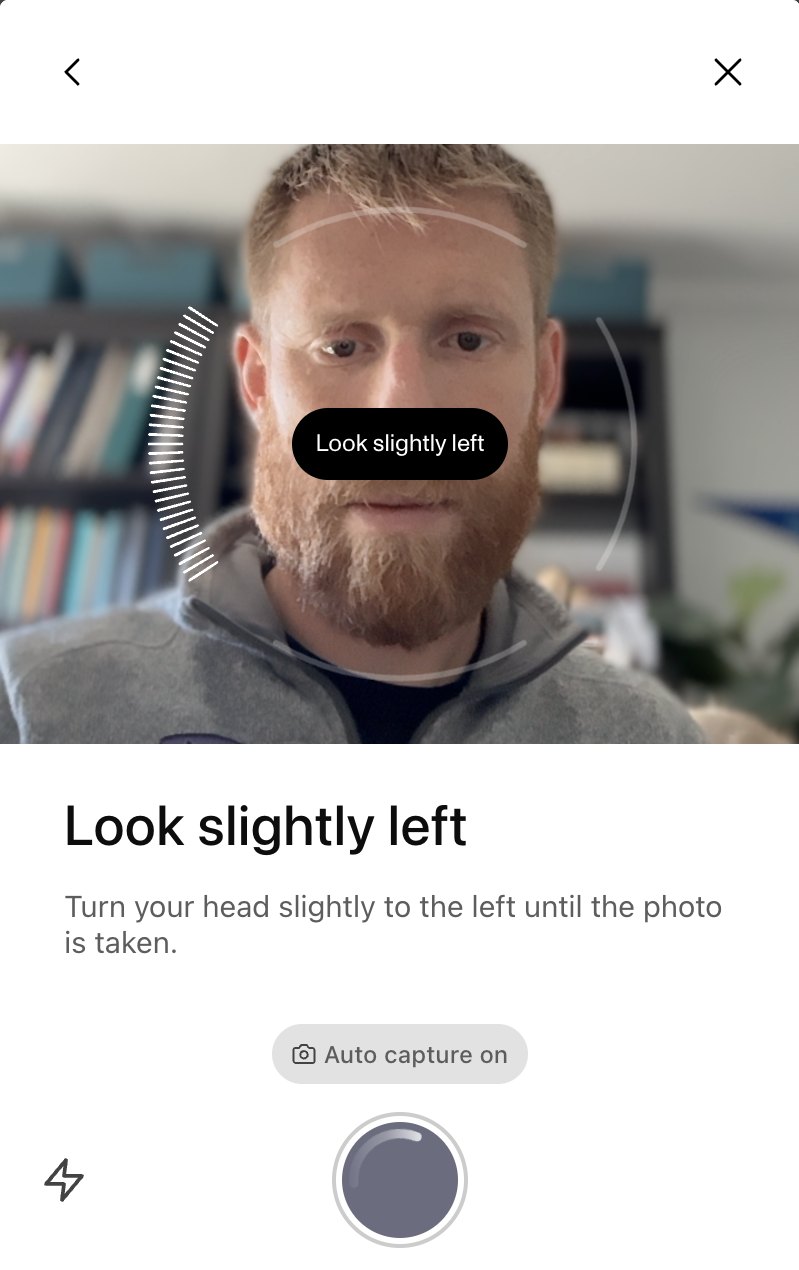
That's me in my office, mid head-turn. Good light helps. If your computer doesn't have a camera, the ID step lets you continue on your phone.
Is it worth handing over your driver's license for this? I think so. Verification is what keeps someone else from claiming your business and changing your phone number. The ID check protects you as much as it protects OpenAI.
Step 5: Enter your legal business details
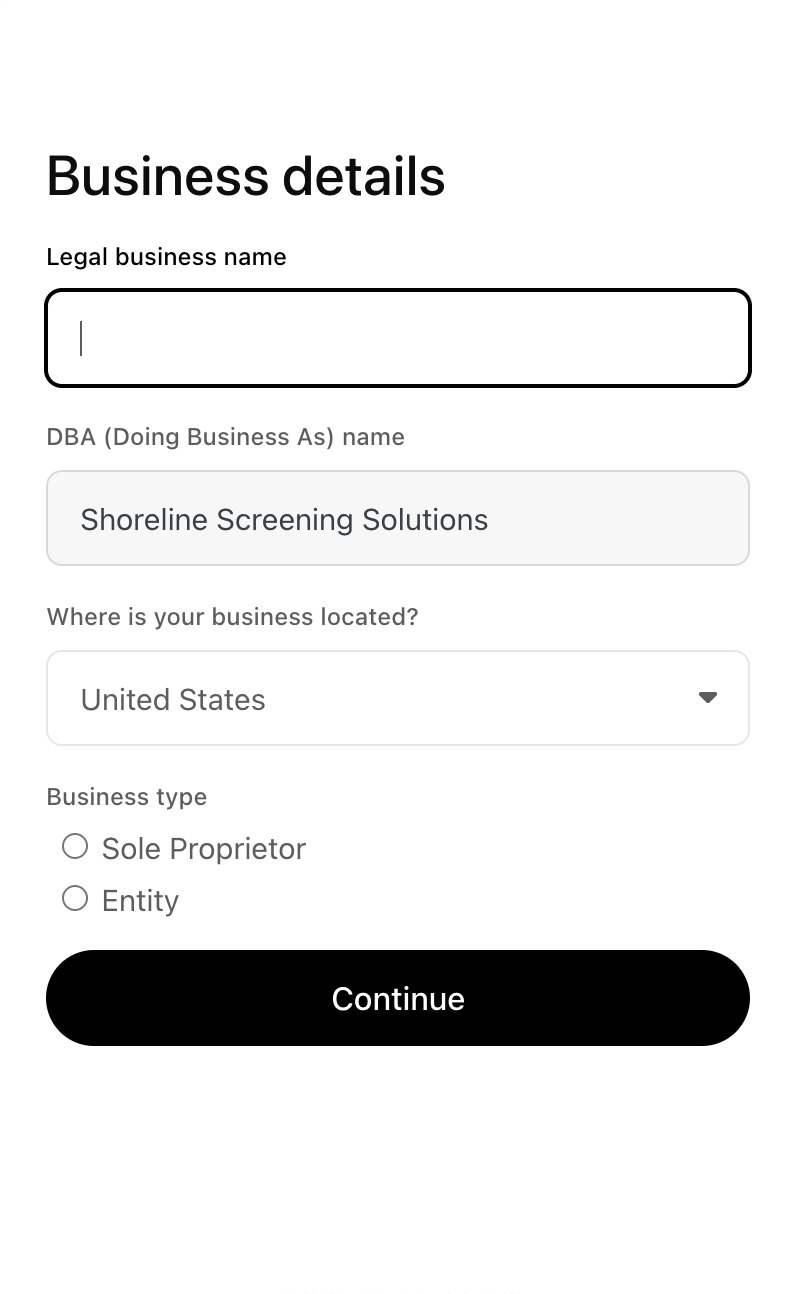
Next comes the business verification. The first screen asks for:
- Legal business name: the exact name registered with your state.
- DBA (doing business as) name: the name customers know you by, if it's different.
- Where your business is located: United States.
- Business type: Sole Proprietor or Entity (an LLC or corporation).
Then the second screen asks for your registration number (your EIN, in the 12-3456789 format), your business website, your physical address (no PO boxes) and your legal registered address. If your registered address is the same as your physical one, leave the box checked.
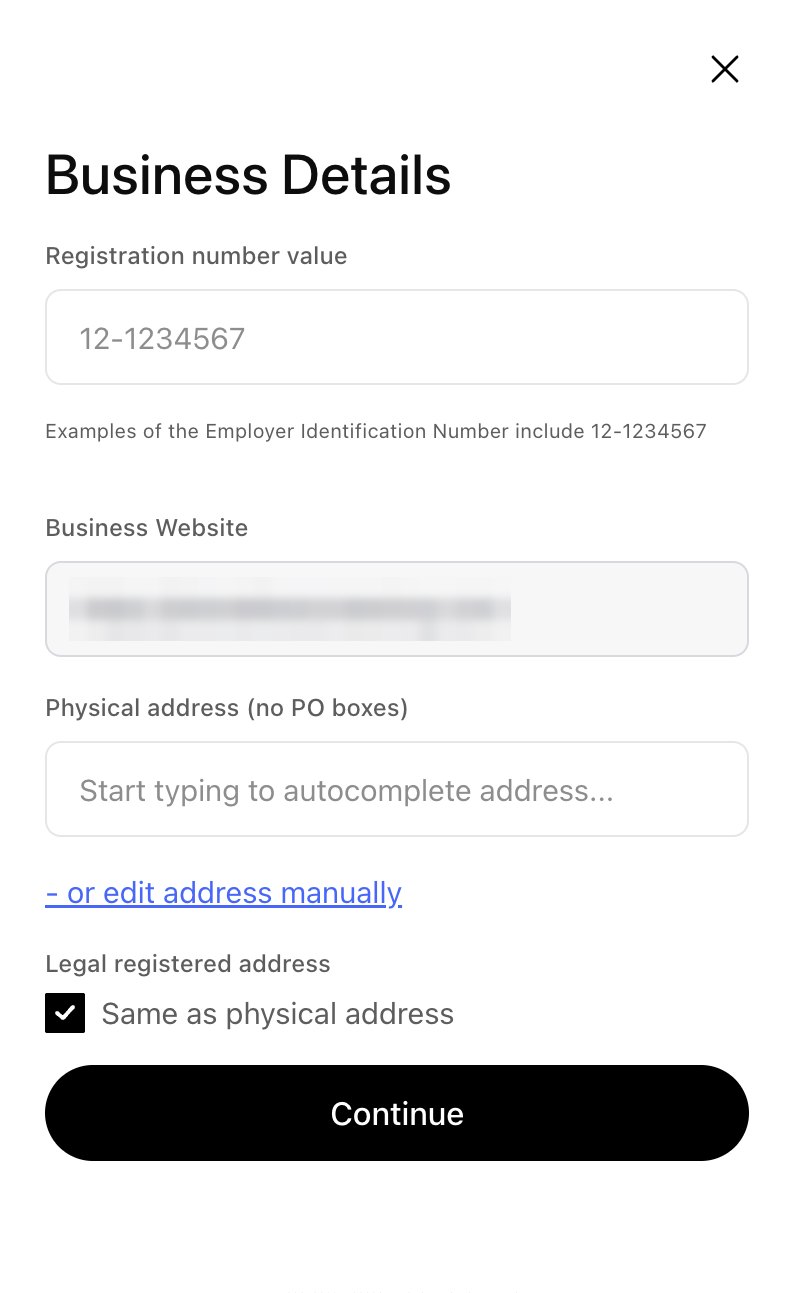
Use the exact legal name and address from your state registration and IRS paperwork. This is where a mismatch slows things down. If your LLC is "Smith Mechanical Services LLC" but everyone calls you "Smith Heating & Air," the first goes in the legal name and the second in the DBA.
Submit, and the review starts. Expect the identity review to take a few days. My business claim approval for one setup came overnight by email, while the ID review took longer.
Step 6: Fill out the profile once you're approved
Once you're verified, open Edit business info. The editor has five tabs: About, Contact, Photos, Location and Hours. Fill out every one.
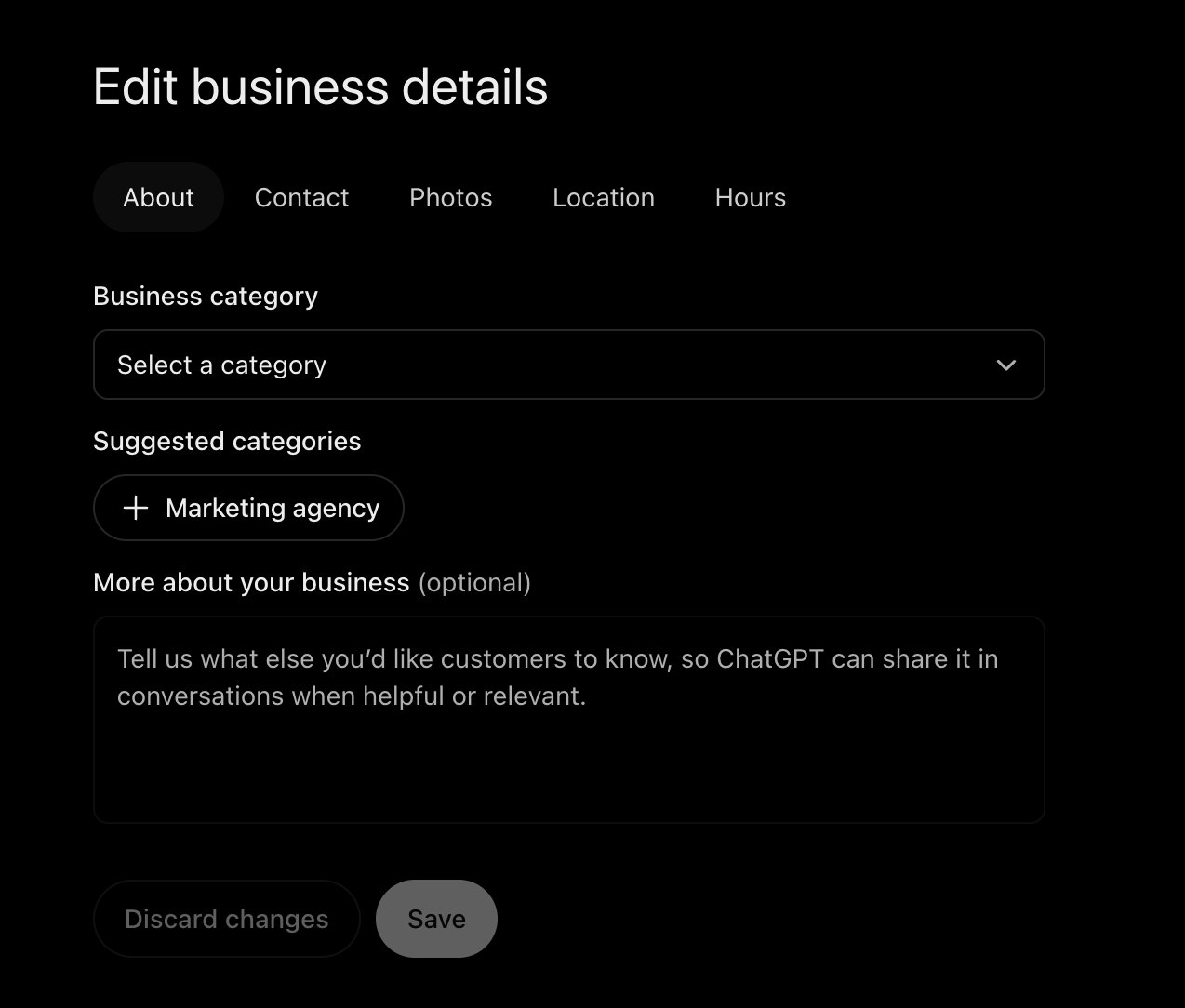
A few things I learned setting up Gridwork and my clients:
- Match your website and Google Business Profile exactly. Same business name, same phone number, same address format. ChatGPT still reads your website and other listings, and matching details everywhere build trust. A different number here than on your website just creates confusion.
- Write your description for roughly 300 characters. The "More about your business" box cuts off around there. Mine landed at 278. Say what you do, who you do it for, where you work and what makes you different. Skip the slogans.
- Check the category ChatGPT suggests. It picks one for you. Mine was right, but confirm yours fits your trade.
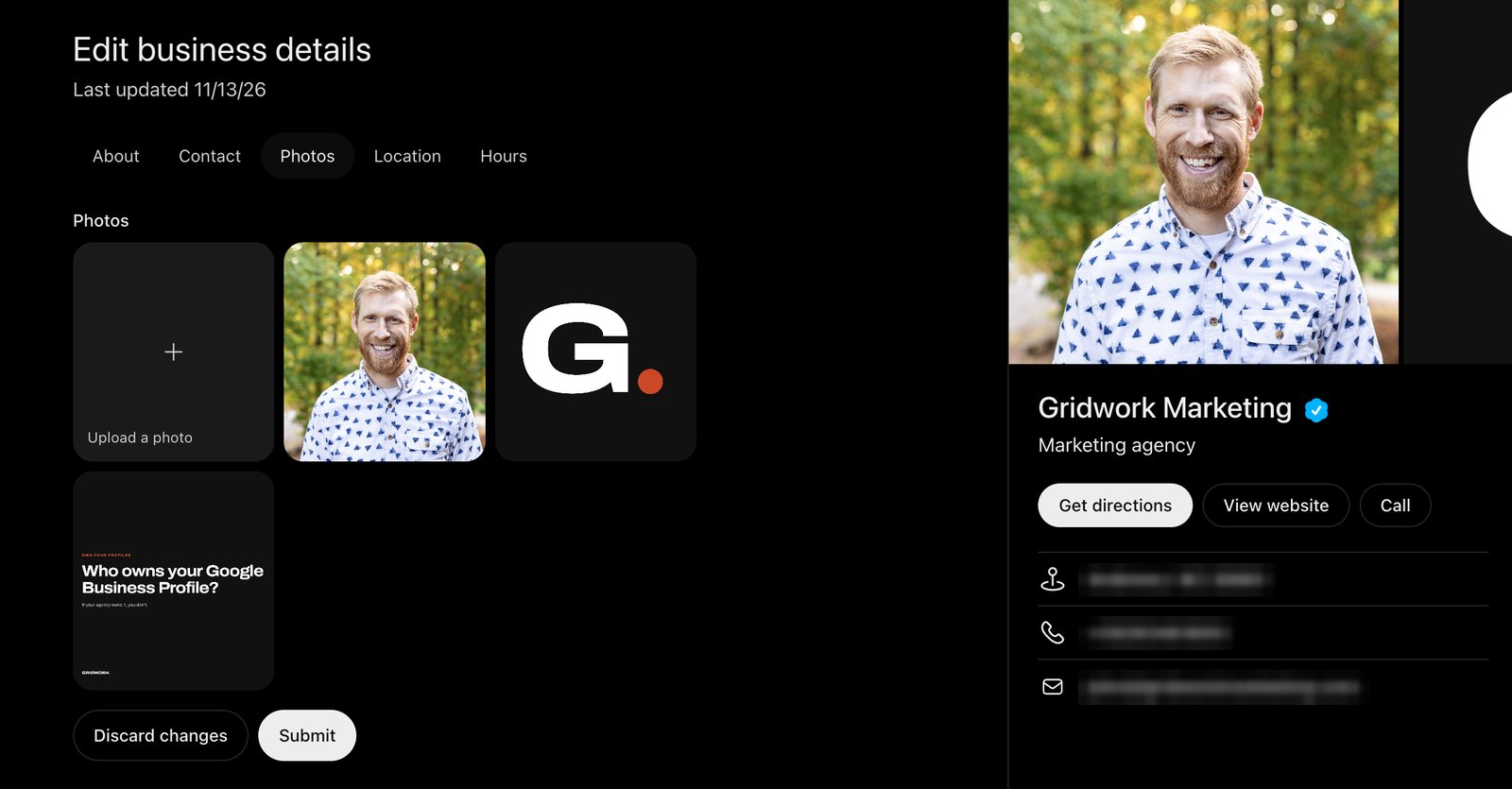
- Add real photos. Your logo, your truck, your crew on a job. A headshot of the owner works well for a smaller company.
- Uncheck the marketing emails box if you don't want offers from OpenAI. It's checked by default after you claim.
Here's Gridwork's finished profile. The live preview on the right shows what customers see in ChatGPT: the verified badge, the category and the Get directions, View website and Call buttons.
You may also see an offer for ChatGPT ads credit. That's a separate decision from the free profile, and you don't need ads to have a complete listing.
What to do after your profile is live
Claiming the profile is a foundation piece, not the whole house. ChatGPT still decides who to recommend based on everything it can find about you: your website, your reviews, your Google listing and what other sites say about you. I've written about why AI search works more like a conversation than a keyword, and why your website still has to answer the questions homeowners ask.
Here's the steady follow-through I'd do:
- Check your insights monthly. Watch mentions, profile views and website clicks in the 28-day view.
- Update the profile whenever something changes: new phone number, new hours, a new service area.
- Search for your business in ChatGPT every so often and read what it says. If something's wrong, fix it at the source.
- Keep your other listings consistent. It's the same habit behind local SEO for contractors: claim it, verify it, keep it current.
If you'd rather not spend an afternoon in DNS settings and ID checks, this is part of the AI search work I do for home service contractors. And if you're not sure where your business stands in AI search right now, book a Digital Strategy Session. I'll search for your business in ChatGPT with you and show you what it says.
FAQ
Is a ChatGPT business profile free?
Yes. Claiming and verifying your business profile in ChatGPT costs nothing. You need a ChatGPT account, and a free one works. OpenAI offers paid add-ons like ads and business plans, but you don't need either to claim and manage your profile.
Do I need a website to claim my business in ChatGPT?
Not necessarily. You can verify with your business phone number instead of your website's DNS. But the business verification step asks for your website, and ChatGPT leans on your website to understand what you do. If you don't have one, that's the bigger problem to fix.
How long does ChatGPT business verification take?
Your part takes about 30 minutes. The business claim review can come back within a day; in my setups, one approval came overnight. The ID review took a few days. The DNS record you add expires in about 24 hours, so finish that step in one sitting.
Can my office manager or marketing person manage the profile?
Yes, you can invite people to help manage it, but each person needs their own ChatGPT account. The owner, or whoever's authorized to represent the business, should complete the ID and EIN verification, since it's tied to their identity and the business's legal details.
What if someone else already claimed my business?
Don't create a duplicate listing. Look for the option to dispute ownership in the profile menu, and have your EIN, legal business name and proof that you control the business phone or website ready.